Free Newsletter

 Each day’s Daily Reporter is filled with bidding opportunities for contractors and suppliers. Many readers find the newspaper an indispensable source of business leads and competitor information.
In order to make the Bidding and Building reporter easier to use, we’ve broken down all aspects of construction jobs and service and commodity opportunities into five sections:
-
Building: The work necessary to complete construction of a building, such as HVAC, electrical work, plumbing, fire protection and masonry
-
Infrastructure: The construction of the world around buildings including: roads, sewers, bridges and sidewalks
-
Miscellaneous: The specialty work related to construction including: demolition, fencing, asbestos abatement and cabling
-
Services: Work necessary to construction including: pest control, moving, banking, engineering and refuse removal
-
Commodities: Supplies including: trucks, furniture, computers, windows, food, and all types of equipment
Work in five stages
Readers often ask how The Daily Reporter finds so many jobs so quickly. We have our sources and four highly experienced, full-time reporters who spend their day calling contractors, local governments and other customers.
Our reporters update our expansive JobTrac database daily. Their reports are listed under five stages of completion: Contemplated, Bids Wanted, Bids Received, Projects Awards and Bids Rejected.
-
WORK CONTEMPLATED: A variety of sources give us the earliest available information on potential jobs in their earliest planning stages. Often, these jobs are listed even before an architect or engineer has been announced. Although these reports are preliminary, they might allow your firm to make a vital phone call to an owner and get on board early.
-
BIDS WANTED: Projects advance from the Contemplated to the Bids Wanted stage once the job becomes official and the owner, architect or construction manager is ready to take bids for specific types of work. Information in this category includes the basics of what you’ll need to assemble a bid: project location, scope, contacts, deadlines, plan availability and names of potential competitors. If you’re planning on submitting sub-bids on the jobs, you’ll want to take note of any invited bidders listed or firms which have let us know they intend to bid the project (Plan Holders).
-
BIDS RECEIVED: Once the bids are in, we’ll report who bid what, usually in the next day’s newspaper. It’s a great way to find out where your bid ended up – and to track the kinds of jobs your competition is bidding on and how much they’re bidding.
-
PROJECT AWARDS: We’ll tell you who won which contract and usually include the full dollar value of the award. Along with letting you know who won, this report also tells you who may now need your services to complete the project, including supplies.
-
BIDS REJECTED: We’ll report whether an owner has turned down all bids and has gone back to the drawing board. We’ll indicate the status of the project and whether your company might have another shot.
 We’ve split the state into four regions along county lines: Northern (4) , Central (3), Southeastern (1) and Southwestern (2). Jobs outside Wisconsin are listed under Out-of-State. Some work is located in multiple regions or the location is undetermined. These jobs are listed under Various Regions.
Bids Pending
Bids Pending is a complete listing of our “Bids Wanted” jobs that have a bid date within the next two weeks. These listings are complied in order to give contractors and suppliers a last-minute chance at jobs, and also to provide an overview of jobs that will be awarded in the coming weeks.
Tracking Jobs
Use JobTrac’s “My Jobs” feature to monitor the jobs you want to follow through the bidding process. Track up to a maximum of 50 jobs at a time — and add, delete or print your listings whenever you want them. You can add a job to your list at any time. Simply click on the “Track This Job” icon next to any job listing in JobTrac. If a job you are tracking is updated with new information you will receive an email alert notifying you that new information is available for the job.
Mapping Jobs
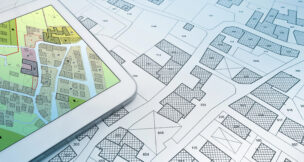
Jobs can now be mapped using the “Map This Job” feature.

To map a job simply click on the “Map This Job” icon next to any job listing in JobTrac. “Map This Job” also allows you to view the locations of all jobs sorted by stage and/or type. Press the push pin for details on the project. Press the link in the details to see a full description of the job.
If you have any questions or need more information about the Bidding & Building Report, please call any of our construction information reporters at 800-508-3800.
To view a JobTrac Tour, click here
To subscribe, click here
To visit our BidBlog, click here

 Loading ...